Transit Maintenance Adding Factory Cruise Control using FORScan I bought a used Leather wheel, with Cruise control switches, off eBay (£95) Nov 2025. This picture shows the original and new wheels and their identification stickers. 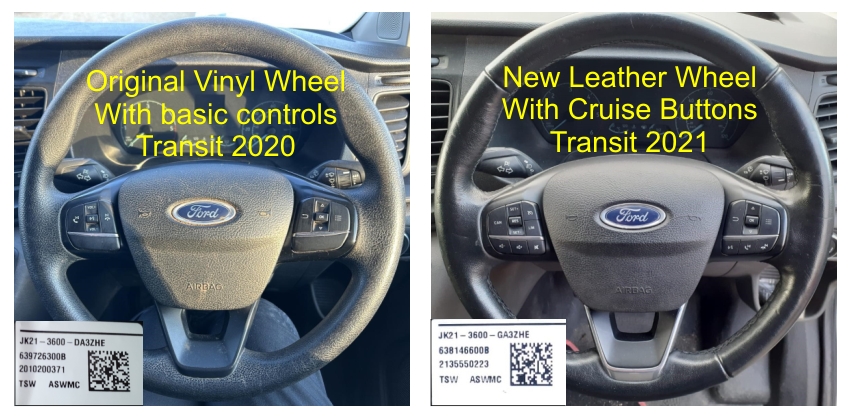 The wheel came without an airbag, but as this has to be removed to change the wheel, mine was swapped over to the new item.
A). The Physical Steering Wheel Swap.
1.
Before fitting the new steering wheel, make a note of the part numbers
for it's Left and Right switch blocks, indicated in the picture below.
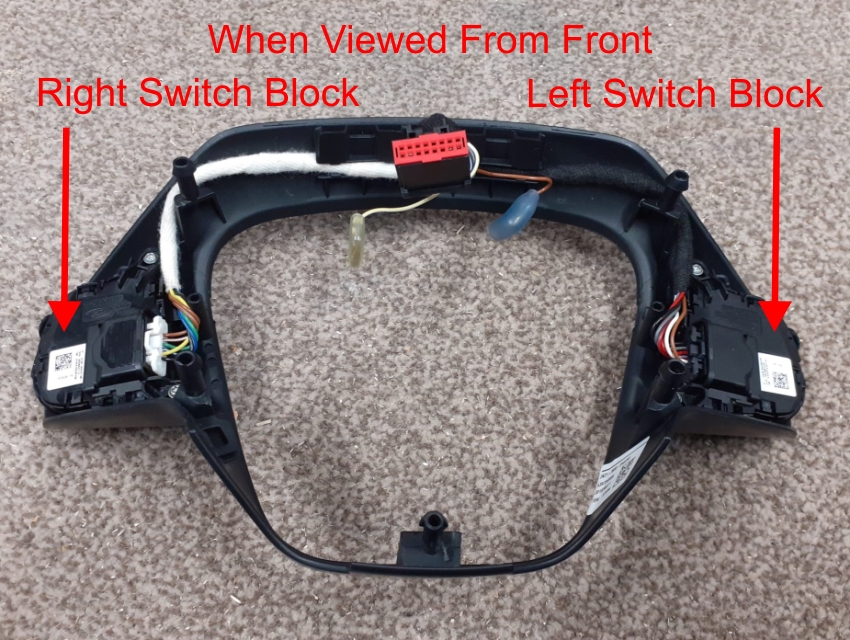 You can't see the numbers, without removing the trim strip from the wheel, it just prises out of its rubber mount (It's tight). These are the numbers for my switches, old and new, its the part number at the top of the label that's needed in FORScan, to identify the switches your using. In this instance, its just the last two letters that change on each part number. 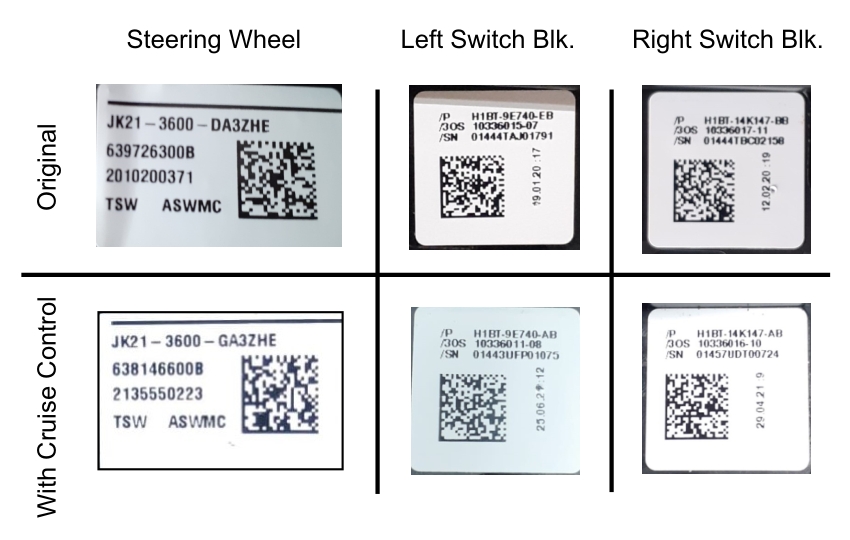 2. Disconnect the Battery negative terminal.
3. Jack up the front wheels and remove the steering wheel Air Bag. Without power steering availability, you will need the weight off the wheels, as you need to turn the steering wheel to access the air bag retaining clips. When loose, disconnect the centre contact and two spade terminals on the back of the air bag. There are plenty of YouTube videos showing how to remove/replace the air bag. Tip: a small mirror and a torch helps when unlatching the retaining clips. 4. Slacken the wheels centre retaining bolt (24mm). Turn the wheel till the two arrows line up on the clock springs yellow label. This is visible through the square hole in the wheels frame, just below the centre bolt. When aligned, disconnect the harness multiplug and remove the wheel. See picture: 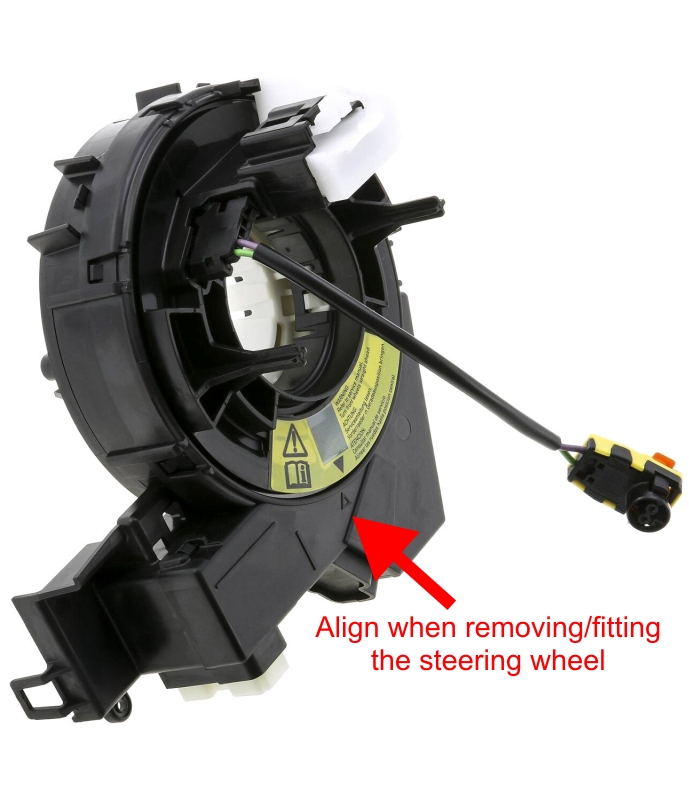 5. Fit the new wheel and making sure the arrows are still aligned, tighten the bolt, using thread lock, re-connect the multiplug. 6. Connect the centre contact and two spade terminals on the back of the air bag and push it back into place until the two latches engage. Tip: there are two slots for the spring legs to be pushed into on the back of the air bag. This holds the legs out of the way, until the air bag is pushed into place, you will hear the clips click as they jump back into place. 7. Reconnect the battery terminal. That's it for the physical swap. The horn will work and the switches will illuminate when the speedo and other dash lights come on. But the new switches won't work, they need to be identified in the system software and this is where the FORScan software comes in. B). Using FORScan software to enable the built in Cruise Control.
I purchased this OBDLinkEX, OBD2 to USB adapter (AliExpress £61) and downloaded the free version of FORScan Extended, with a 2 month trial license (v 2.3.68). 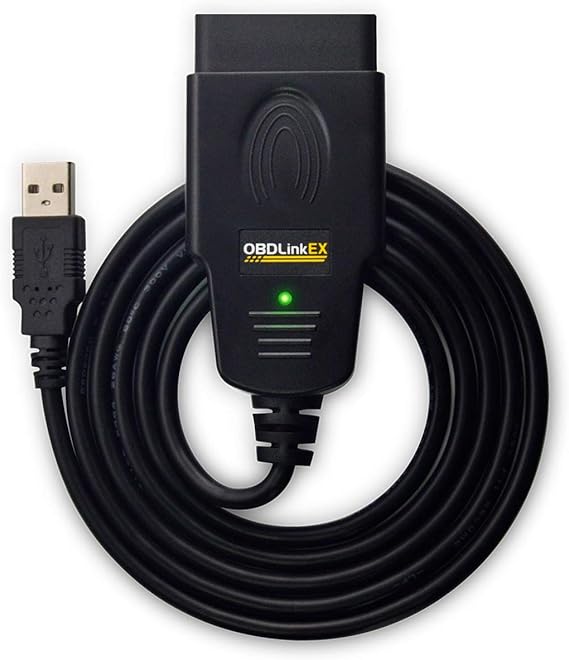 There are differences in performance/compatibility when it comes to OBD2 adaptors. Get one of those recommended on the FORScan website, like the one above. Its designed to work with Fords, high speed and switches between data types automatically when required, so no manual toggle switch. I prefer a cabled USB connection, over a Bluetooth one, its a faster and more stable connection. 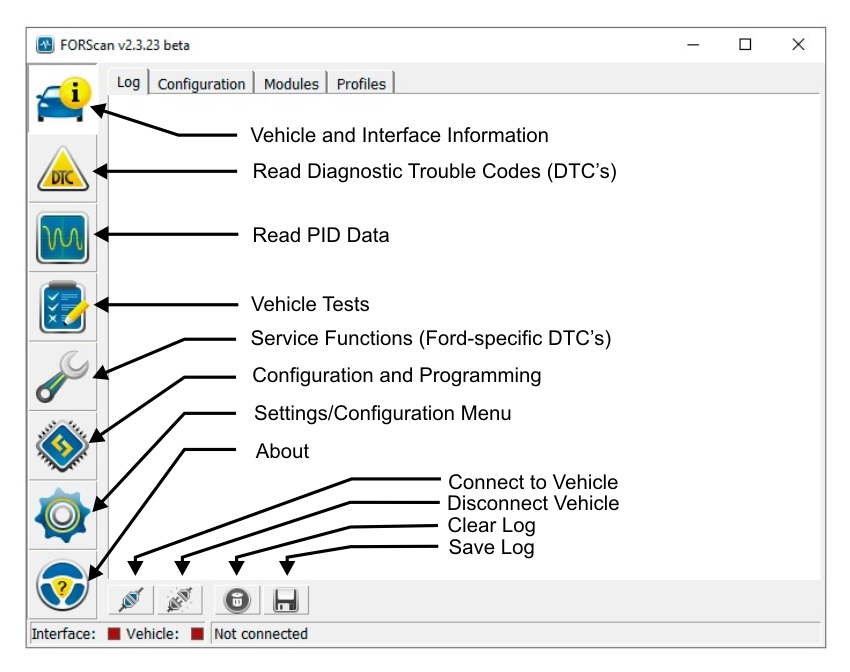 This is the screen that greets you in FORScan. I've added basic descriptions of what the main Icons are for. There are several YouTube tutorials on using FORScan, I suggest watching these before attempting anything. There are two ways of making changes in FORScan, "As Built" which uses fairly meaningless hexadecimal feature/option numbers and "Module Configuration" which is a menu and descriptive options driven method. They are interactive and update each other, they have to, you can't have different entries in each system for the same feature. There are fewer change options listed for Module Configuration, but most of the main things you might want to change are there. There are 3 basic steps to follow in order to add these extra functions. Tip: Always change one thing at a time and write the change before moving on to the next item. 1. Back up the relevant modules before making any changes to them. Select a module and hit "save log" at the bottom of the screen. 2. Match the switch entries to the new switch blocks on the replacement steering wheel. @ Config-Program/SCCM Module Config/Steering wheel switch Left. Select from the options list, the part number that matches your new switch block. Note an Astrix means any value can be used for that digit. Do this for Left and Right switches separately. 3. Activate Cruise Control @ Config-Program/BCMii Module Config/Cruise Control. Select Cruise Control. Note: When changing settings in any module you must first select the Play button at the bottom Left of the screen, this opens the module for editing. When you've finished editing and writing the changes, hit Stop which is next to the Play button. This closes the editing function for that module and allows a different module to be selected. You must Write changes for them to update, not just select the tick box. Cycle the ignition off/on when requested during the changes. I did everything above, but the cruise control buttons still didn't work, all the switches on the right worked and the radio volume up/down/mute on the left worked, it was just the cruise controls that didn't. I came across more info on using FORScan to activate Cruise, on the USA Transit Forum and tried this additional task. @ Config-Program/SCCM As Built, there is a function 724-02-01 and without Cruise, its alleged to have an entry of B028 B000 00B6 against it, but the last two digits of my entry were 008E. The instructions were to change it to 0056. I did this and the cruise buttons came to life and worked fine on a test drive. Funny thing is, I went and checked the entry and it had reverted back to 008E. As everything is working I just left things as they are. |
 |
 |